
Slidev Studio
A visual editor for Slidev. Select, drag, resize, animate and compose slides directly on the canvas, the way you would in Keynote or PowerPoint, while the deck stays exactly what it was: a Markdown file.
View on GitHub →
Why I built it
I am tired of PowerPoint. Not of clicking things into place, that is fast, and it is often the shortest route to a slide that looks right. What I am tired of is everything else: a binary file nobody can read a diff on, fonts that move between machines, files called final2, and none of it living in git next to the rest of my work.
So I moved to Slidev and got all of that back. The deck is a text file, it can be reviewed, the code blocks are real code, and components carry across talks. But I lost the canvas. Nudging a box 20 pixels to the right meant guessing a number, saving, looking, and guessing again.
Studio is the refusal to choose. The interface when I am placing something, the text when I am reading what actually changed. I want PowerPoint's speed without giving up the file.
Markdown is the source of truth
Every action in Studio is a small, readable edit to your .md file. There is no project format, no database and no lock-in. Close the editor and the diff is something you could have typed by hand. That constraint is the point: it is what lets a visual editor coexist with version control, code review and hand editing.
Drag it, and watch the file change
Click anything on the slide. Studio works out which lines of Markdown that element came from and shows them in the Element panel.
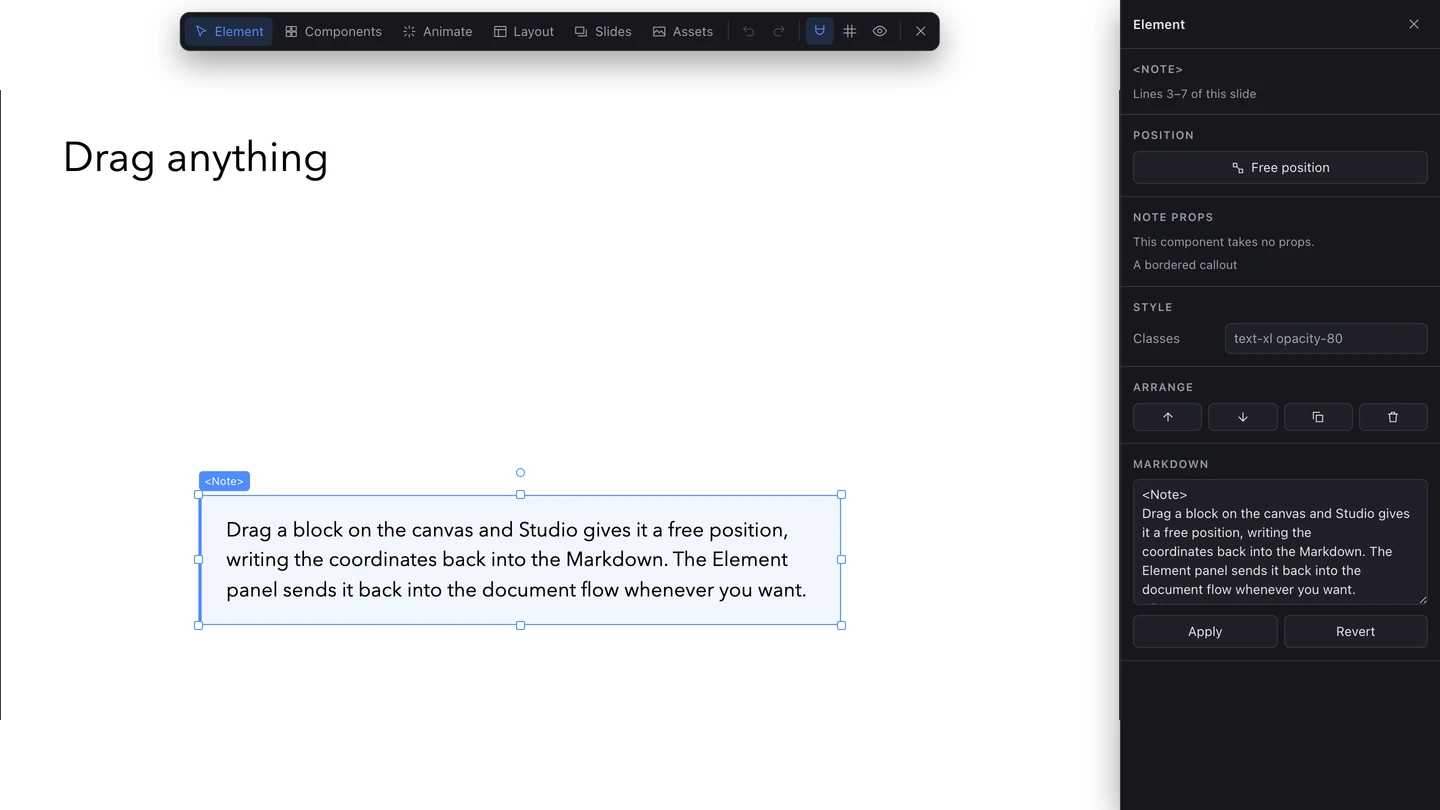
Drag it and the block leaves the document flow for a fixed position. Studio writes that into the file for you as four numbers: how far from the left, how far down, and how wide and tall it should be. One button in the panel puts it back into the flow.
While you drag, the element snaps to the slide's edges, its centre and its thirds, and to everything already on the slide. Hold Alt to turn snapping off and place it freely.
Edit the text where it sits
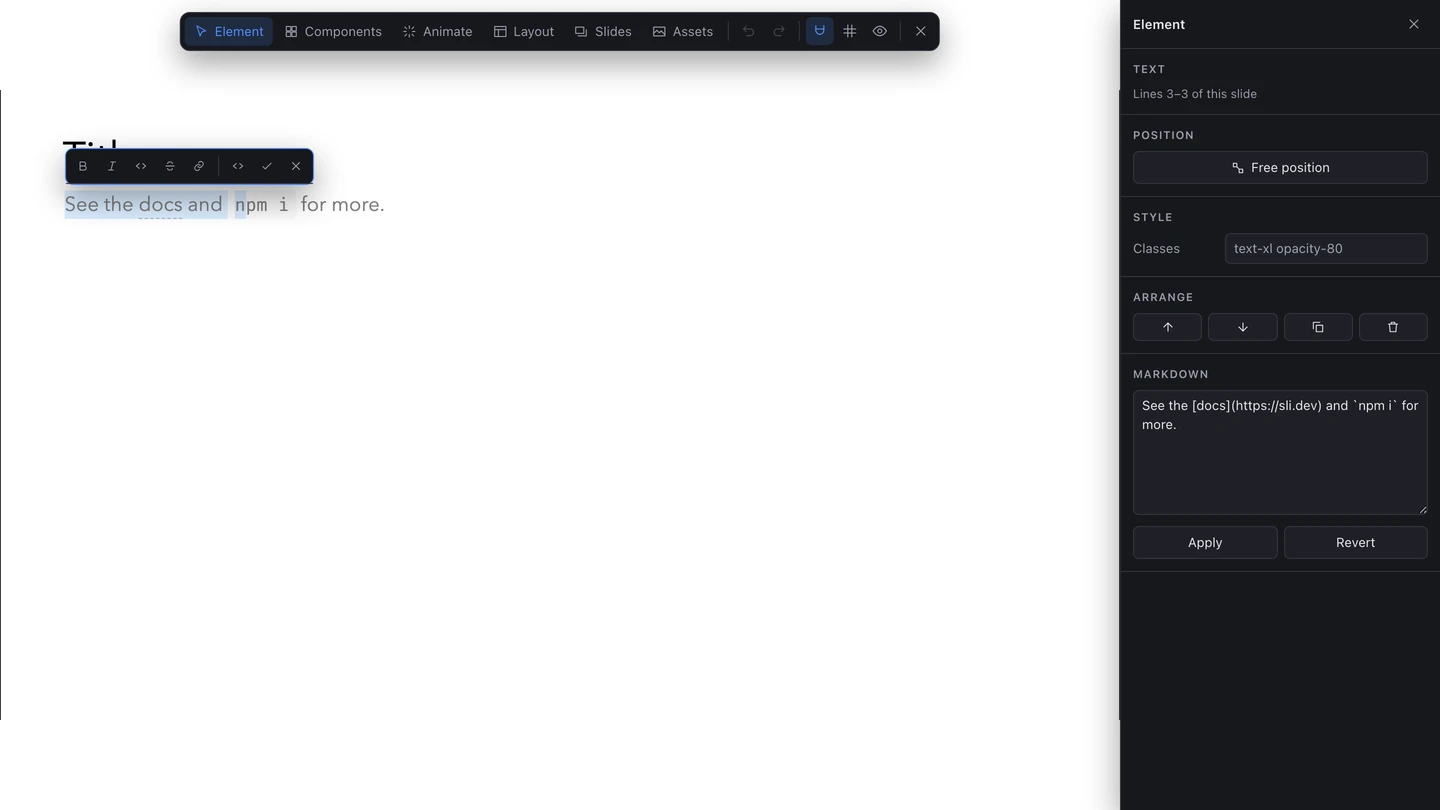
Double-click a block and it becomes editable on the slide, with a toolbar for bold, italic, code, strikethrough, links, headings, lists and quotes. No hunting for the line in the file to fix a typo.
What it does
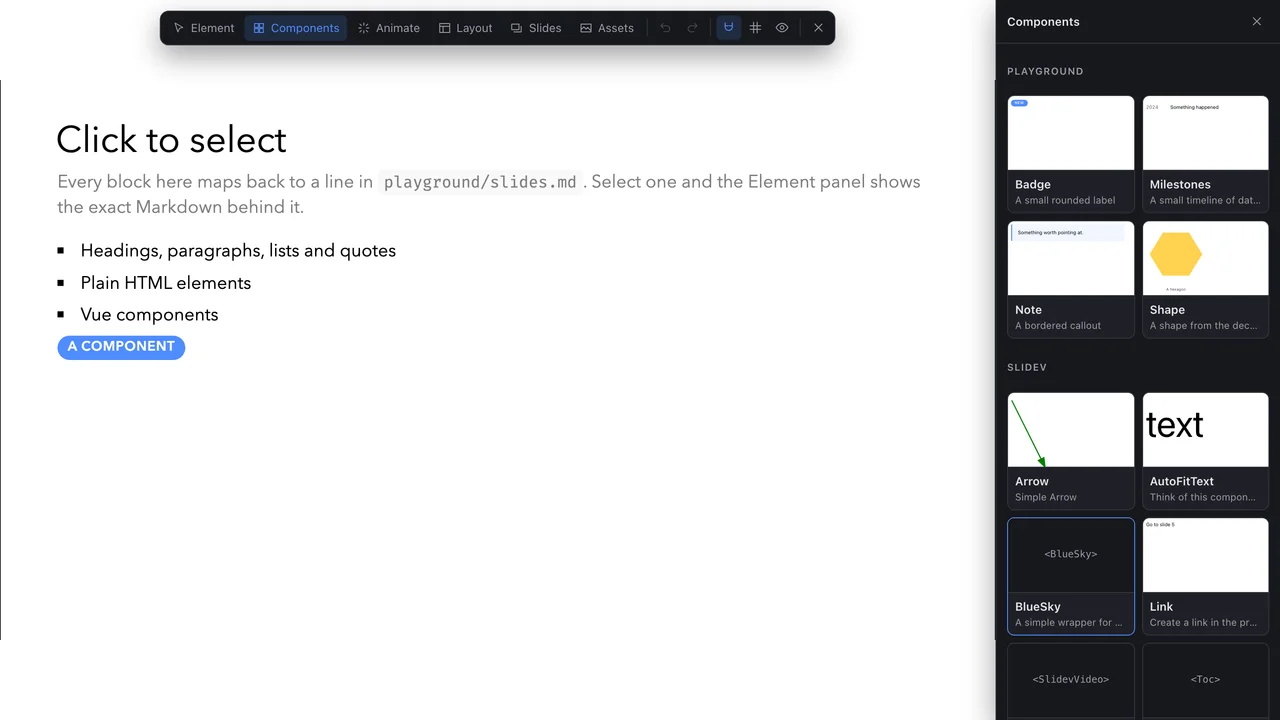
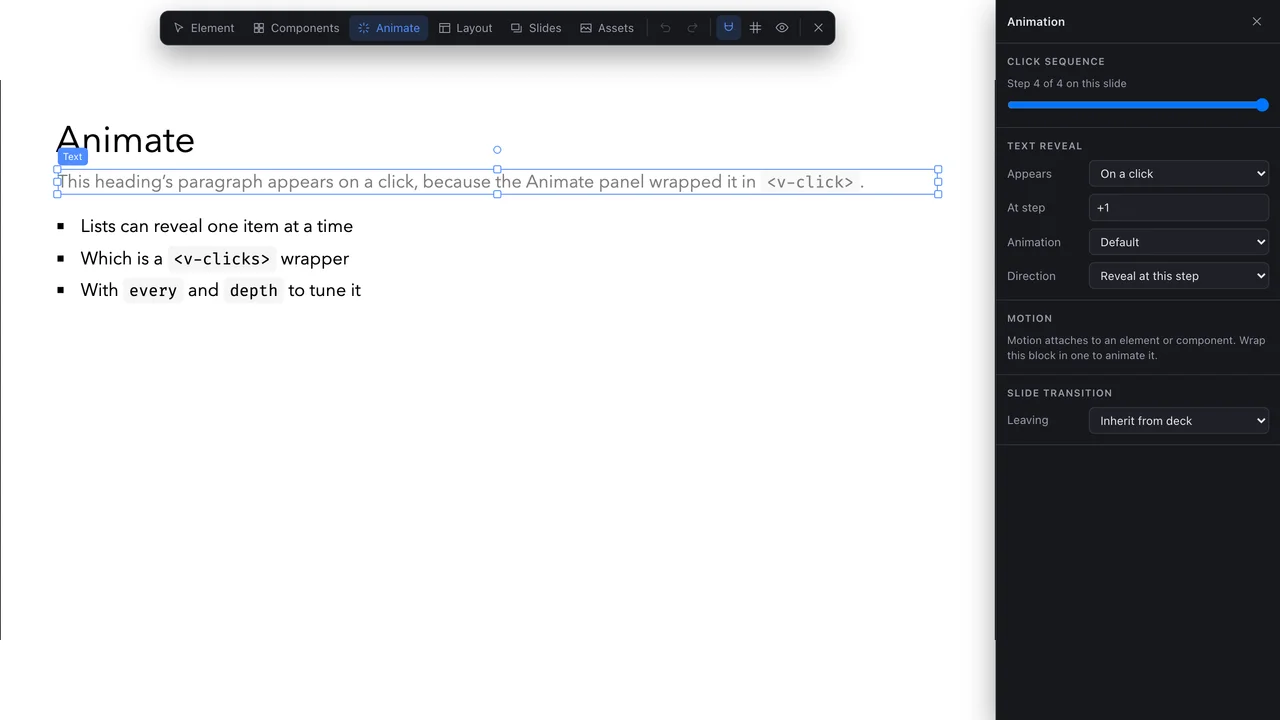
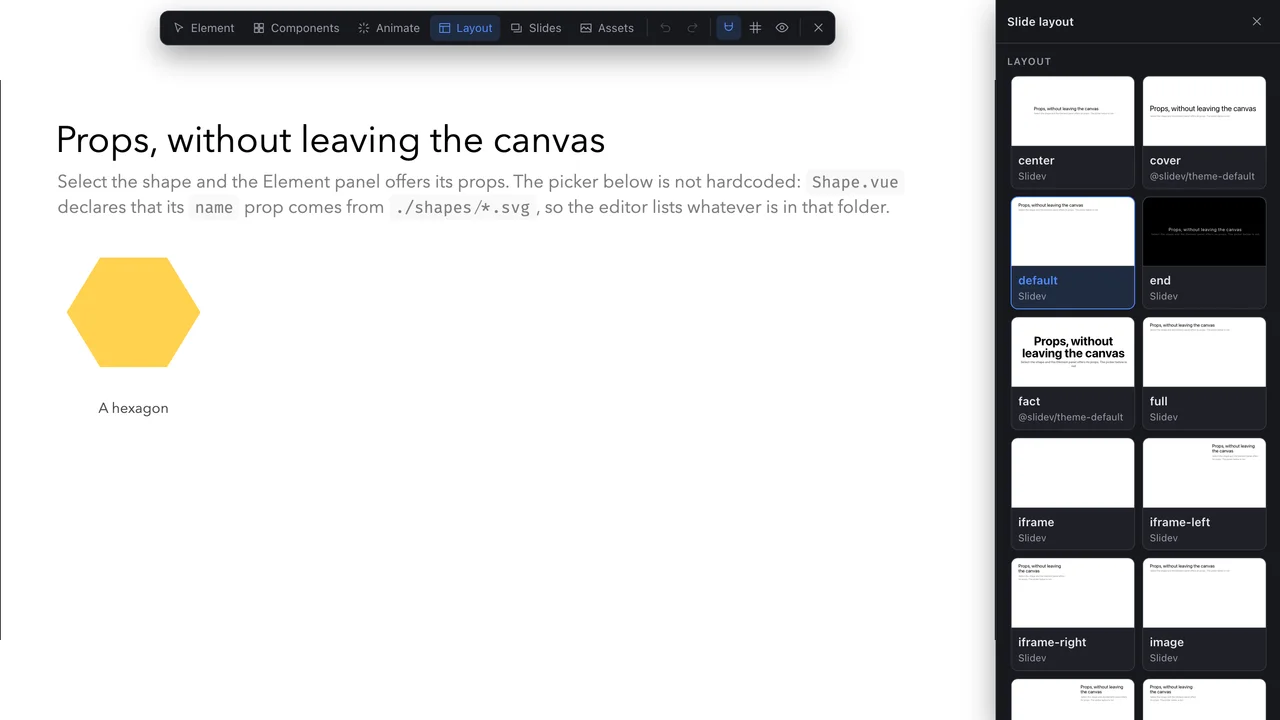
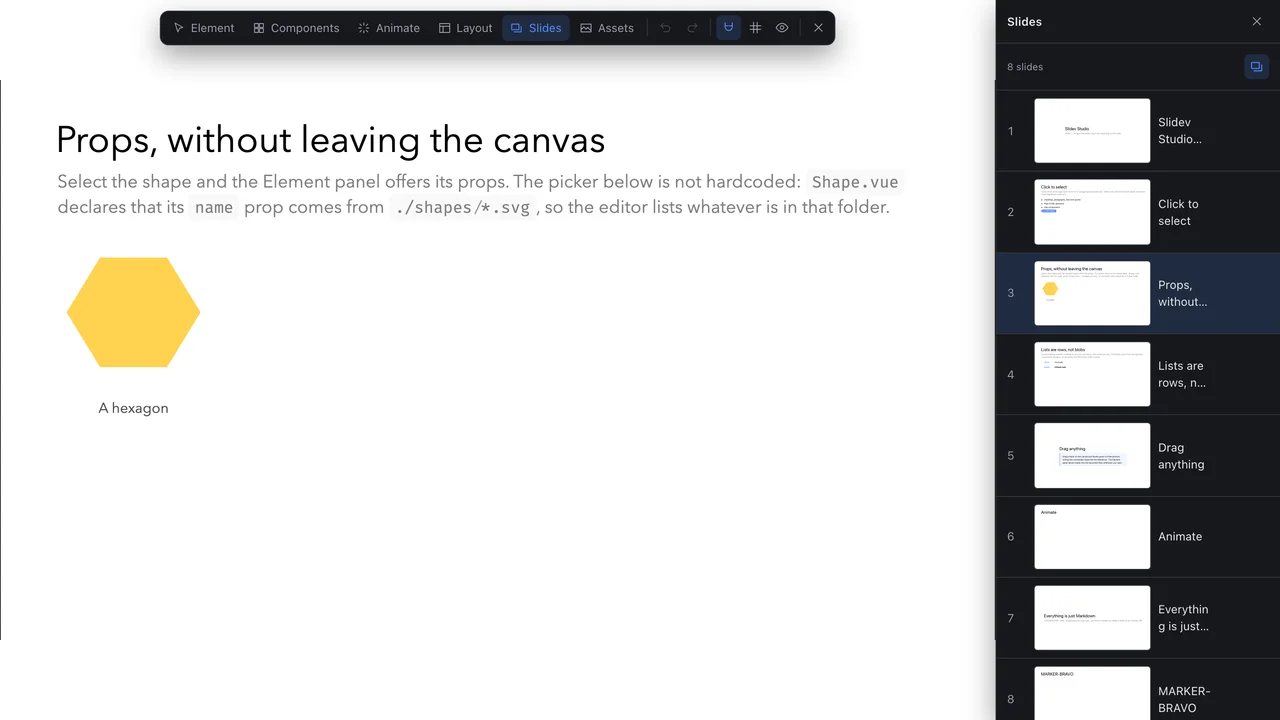
The Element panel is the one above: it traces the selection back to Markdown and lets you edit it. These four do the rest. The Assets panel drops images straight into public/ and inserts them.
Getting started
Install the addon and enable it in your deck's headmatter, or in package.json to apply it to every deck in the project.
pnpm add -D slidev-addon-studio---
addons:
- slidev-addon-studio
---Start slidev as usual and press E, or use the pencil button in the bottom bar. Studio adds nothing to the slide while it is closed.
Every talk I give is built in Slidev
Studio exists because I speak a lot and wanted faster slides without giving up Markdown. If you want me on stage, get in touch.